What Ports do I forward in my Router for WHS?
Some of you have emailed asking which ports you need to forward on your router for Windows Home Server. So here we go:
The first port to forward to your WHS is the “standard web traffic” (HTTP) port 80, although this is optional. If you don’t forward it, you can access your WHS machine using https://<address> instead of http://<address>
Next is the “secure http web traffic” (HTTPS) port 443.
Then Remote Web Workplace (RWW) which uses port 4125. This enables you to access the web interface feature.
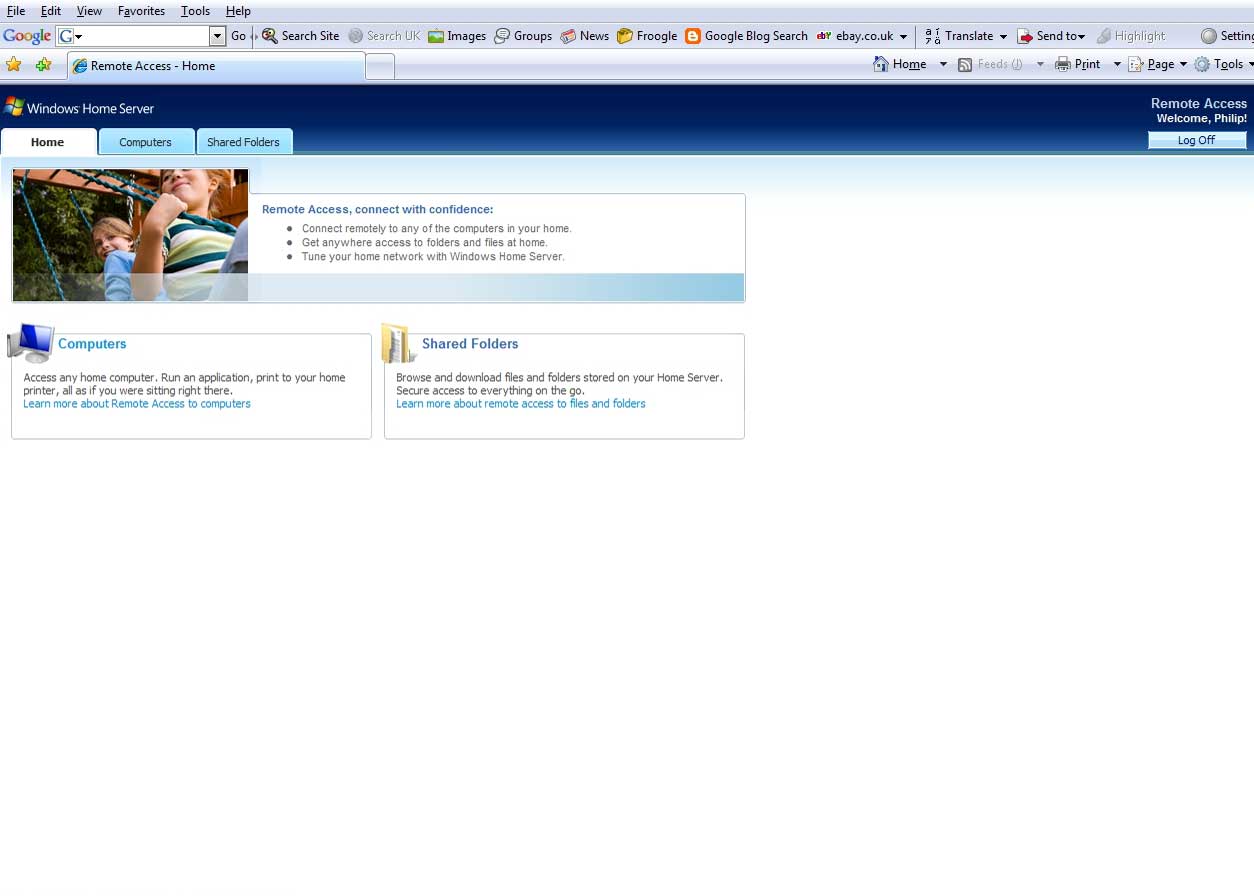 Web Interface Feature
Finally the Remote Desktop Protocol (RDP) port 3389. This allows you to use “Remote Desktop Connection” to connect to your Windows Home Server desktop.
 Windows Home Server Desktop
All ports are TCP only – UDP is NOT necessary.
Share this WHS Article with Others:




Hello Philip
Personally I dont expose my WHS directly to the Internet since I have all my personal data on it.
I use the free version of Hamachi so I can access from my Notebook trought a secured VPN Tunnel and I have more controll who connects to the server. (user restrictions)
Another very secure connection is LogMeIn Free, there you have options like one time password and this way you can have Desktop Access to your server.
Just some ideas from me….have a great day
Are you sure about port 3389? My router only port forwards 443 and 4125 and I have remote accessed PCs on my network via WHS. (port 80 not forwarded toWHS as I also run a web server).
Without port 3389 being forwarded you will still be able connect via the “Remote Desktop Connection” using:
The servers name, in my case “SERVER” or your
Internal IP address e.g. 192.168.1.XXX
So when connecting from within the local network all is fine. But you will not be able to connect via the “Remote Desktop Connection” if you are outside the local network e.g. at a friend’s house or work when using either:
WAN IP address e.g. 82.34.XXX.XXX
(name).livenode.com
or (name).dyndns.org etc.
I prefer to be able to access my WHS if needed from wherever I am, so that’s why I forward port 3389 as well as the required others.
Thanks to Daniel Keller for the details on the two virtual private networking (VPN) applications. Using one of these products would be a more secure solution than opening port 3389 to your Windows Home Server.
Thanks for the info Philip that makes sense.
I have been accessing my system (remotely) via https://.livenode.com and then logging onto WHS and then in-turn selecting the network computer to RDC to. What I haven’t tried (because I thought it would be the same) is to log-on to WHS (through Connect i/f) and then RDC on to the server itself. I assume this is what you mean? or is it just a RDC connection from the outside world direct to WHS?
Hi Simon Smith,
What I meant is apart from the documented ports (80, 443, and 4125); if you forwarded 3389 you would be able to use RDC from the outside world direct to the server, avoiding the console and the web interface.
UPnP Problem ?
When enabling UPnP on my router Netgear DG834GB, i have no problem to let WHS configure automaticly the necessary ports. But the setting is mysteriously modified after 3 to 24 hours, and WHS show an error message and the reomze acces is down.
I have to turn off the UPnP and to manually set the ports on the router to stop this problem.
Jacques
Hi jackyred,
Run Microsoft’s Internet Connectivity Evaluation Tool to confirm that your router is 100% UPnP compatable and also try re-booting the router from within the Netgear web interface.
I’m still new to this software and site, but I’m loving it so far! however my router, even though it supports UPnP (D-link wbr-2310) it seems like it won’t stay configured unless I open these ports. However it does have a ‘virtual server’ as well as a separate port forwarding feature. If I use the virtual server to open these ports, are they as vulnerable as opening them on port forwarding? Thanks for any assistance!!
Hi Flatearth,
It depends on D-Link’s definition of a virtual server. If it’s similar to a DMZ then don’t use it because it will open up your Home server for the whole world to see.
Port forwarding is the way to go:
See if there is an upgraded firmware for your router.
Try a re-boot of the router from within the web interface of the router.
I presume you are saving the port forwarding settings before exiting the router.
To test if your router is UPnp compatible run the following tool.
Had exactly the same issue with my Netgear DG834GB so have turned off UPnp and gone into manual port forwarding which seems to have done the trick.
I have just purchased an HP Smart Media Home Server. It seems that this product is in never neverland between real HP servers and HP PCs. There is literally no support. Can you tell me which routers are compatable with this machine and MS Vista?
Thanks,
All ports are TCP only – UDP is NOT necessary……
A more accurate statement would be that including UDP will cause a failed connection. I got connection time outs until I saw this. Once I changed the protocol to TCP only, it started working beautifully.
Hello,
I have forwarded all 4 ports to my local sercer ip address using tcp only. I am trying to rdc into my server using xxx.gotomyhp.com. I am getting a error 800: Unable to establish a vpn connection.
Any thoughts?
Thanks
Jim
I thought WHS was supposed to be easy…
just try and configure a Dlink g604t with firmware upgrade
for the task.
“virtual server” is just dlink’s name for port forwarding. The difference is that virtual server is used for forwarding only one port, where as the “port forward” page is for forwarding a range of ports (on dlink routers).
Hope that helps!
Philip- thanks for letting everyone know what ports to forward in case they can’t uses UPNP!
Good old microsoft..What more can you say 🙂
I have a WRT610N and have forwarded all ports as suggested since the automatic UPnP does not seem to work.
I can access my files shares thru my xxx.homeserver.com
“site” but not the console or my “computers”
I figured I could not access my computers since they are win 7 home and not professional but what about the WHS console?
Hi DCMackie… Are you trying to connect to the console or computers at home from your work? Most company’s I know will block the necessary outbound ports required to do this. If this is the case, try to connect to your home console or PC’s from an unrestricted PC such as a friends house…If this works then you know the problem is with you company’s network….
Cheers!
Gareth
I’m trying to play music files stored on my pc through my audio system.
After spending a few weeks trying to figure out how, I finally found the answer. UPnP was disabled on my router.
I enabled UPnP and all is well.
My A/V receiver is a Yamaha.
My problem is everytime I want to use the a/v receiver, I have to dis-able and then re-enable UPnP on the router.
Once I do that, my files show up on my a/ system.
If I turn the av receiver off and then on again, I have to do the disable/enable thing again.
Any ideas?
Thanks