By Philip Churchill on August 16th, 2007
DHCP for Windows Home Server Aka DHCP4WHS
DHCP4WHS is a DHCP server add-in for the WHS console. A DHCP server in included in Windows Server and also in your router but if you would like more control over the settings then that’s when DHCP4WHS comes to the rescue. Providing a simple front end that enables you to manage existing DHCP leases and create new reservations based on existing leases, computers associated with your Windows Home Server or from scratch.
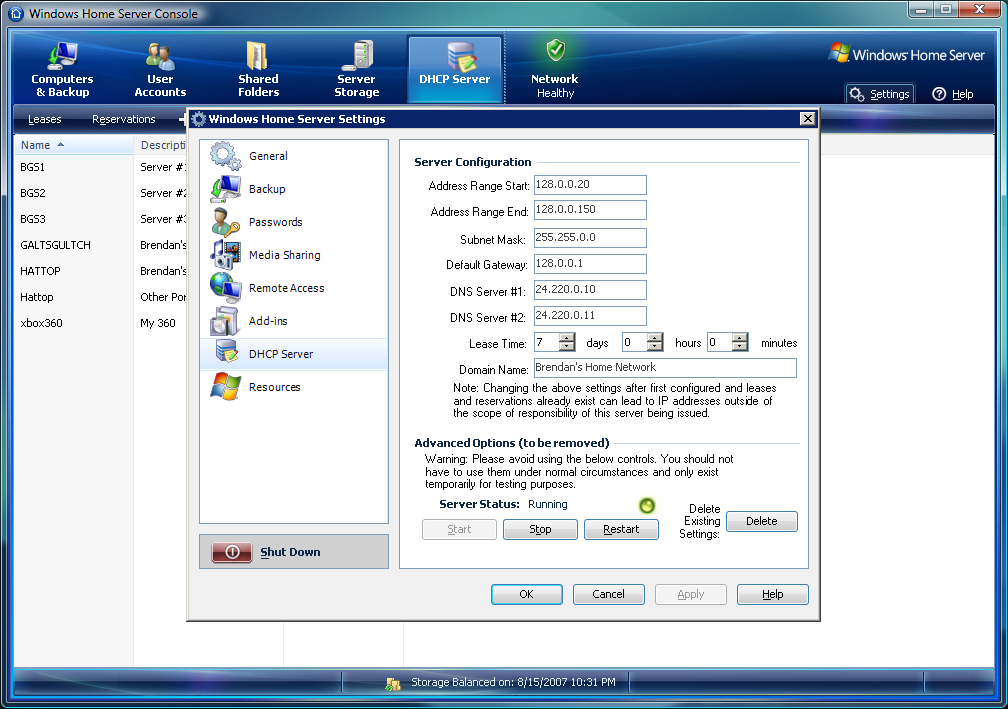
Brendan Grant has created a great add-in for the more technically inclined and as he says “(It’s) … a heck of a lot easier than reprogramming ones home router or dealing with the Microsoft server.”
More details and a link to the download is available over on Brendan’s blog “I Hate Linux”.
Share this WHS Article with Others:




Not sure why I#d want my WHS to do this, rather than my Router – it’s not THAT difficult?!
You raise a good point Dan and I admit… it’s not for everyone, however it is a big thing for those of us who don’t have a router that does reservations.
Can’t get DHCP4WHS to work with Brother MFC7820N.
Hi LorenJS,
Try contacting the developer directly who may be able to help you.
Should have included win and dns
why no dns aswell? some routers dont do dhcp that well so its worth giving it to whs to do it.