Recorded TV Manager brings WHS and Windows Media Center closer together
There’s a lot of chat at the moment (here and here) on how Windows Media Center users and those with Windows Home Server integrate both in their home setups. Their is currently no easy way of combining the best of both products unless you have the time available to do so.
Now things have got a whole lot easier with Recorded TV Manager, an Add-in for Windows Home Server designed specifically for Home Server networks that include one or more “Media Center” machines which record television programming for later viewing/time shifting.
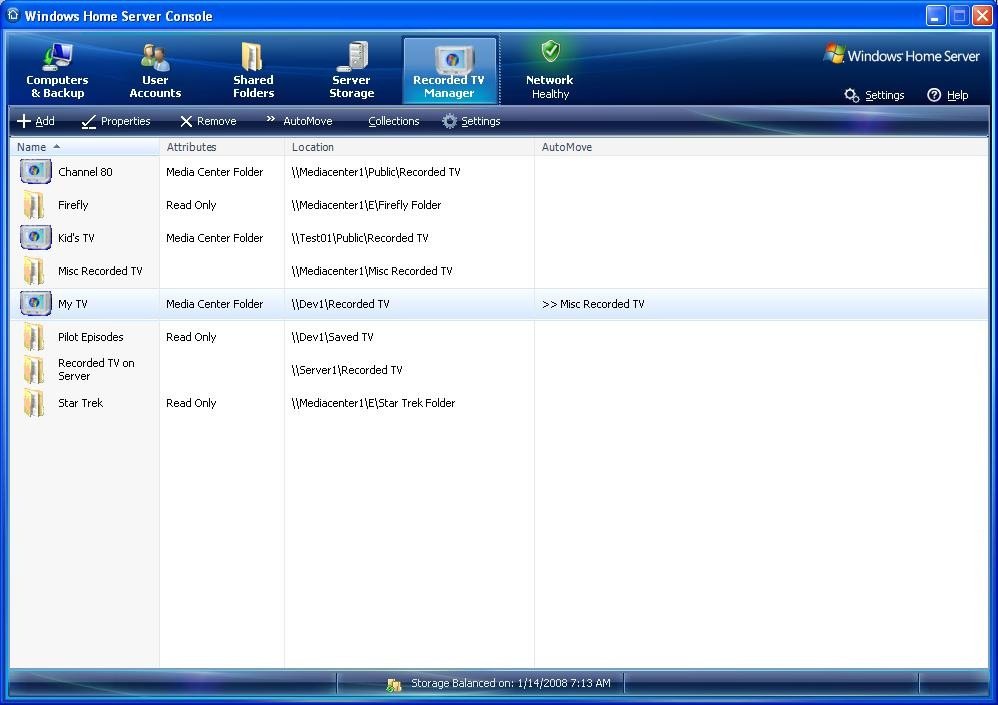
Available from next week as a paid add-in for $24.95, it includes the following features:
- Collections – Collect series episodes automatically to the Home Server (or other location) and then watch them in original broadcast order on any Media Center computer on the network.
- AutoMove – Automatically move all new recordings on a specific Media Center computer to the Home Server (or other location). Great for that old XP Media Center machine with the small hard drive!
- AutoDelete – Automatically delete duplicate recordings and previously watched episodes. Overcomes some of the shortcomings of the Media Center scheduler.
- Runs 24/7 on the Home Server as a Windows Service Application. Fully configurable using the Recorded TV Manager tab in the Windows Home Server Console from any connected client machine on the Home Server network.
More info on Recorded TV Manager, help topics and a list of collection scenarios when using the collection Wizard are available.
NB: The Recorded TV Manager website is still being worked on and will not be LIVE until next week, but feel free to have a browse.
Share this WHS Article with Others:




Will this work with the new WMC extenders??
Rich
This is very cool. Is this an official add-on for WHS?
Will this work with Webguide? It would be great to use this to record a TV programme and move it to WHS and then use webguide to remote connect and watch it.
Interesting add in, i will be looking at this once i decide on my media center build.
Would be good to see a video of this in action or may be a screen cast? Any takers? hint hint
Must admit i dont know why WHS did not provide this function from the get go.
Either way a great looking add in.
RB
Hi DanITman,
No this is not an official add-in, actually there are no official add-ins apart from the Windows Home Server Toolkit.
Recorded TV Manager should work fine with any extenders. With regard to WebGuide, if it produces recordings in the dvr-ms format and encodes the metadata correctly, that will work also.