By Philip Churchill on January 30th, 2008
Changing the Port your Certificate applies to.
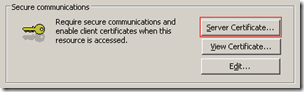
Your Windows Home Server website by default uses SSL port 443 and if changed your security certificate will need to be configured to apply to that port also. Colin Walker has the details on how to do this at his RandomElements Blog.
Share this WHS Article with Others:




Hey Phil,
Thanks for the link buddy.
I guess I’m a little late to this party… RandomElements seems to be permanently gone.
DocGuy at this post:
http://social.microsoft.com/forums/en-US/whssoftware/thread/0d8d3b1f-dc60-4b66-bb70-e1fc40be6cb8/
seems to have good instructions.