HP ex4x Video DVD and iPhone Software Update
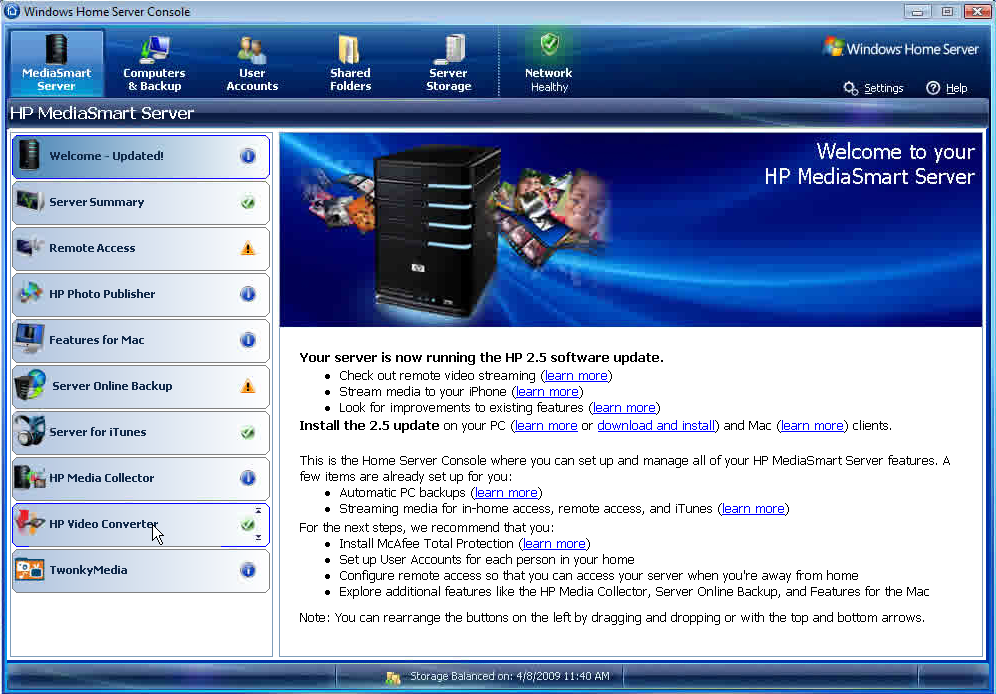
HP have announced a free software update for the 2nd generation MediaSmart Servers which will provide the following features:
- The HP MediaSmart Server ex48x series will automatically convert your library of videos, including unprotected DVDs. The update can also create a mobile version of your videos that you can download and play on your iPod, iPhone, PSP, Zune and other popular mobile devices.
- Ability to stream your music, photos and videos from your Server to any internet connected computer or right to your iPhone.
Additional enhancements include:
- An improved mobile streaming experience.
- More robust Media Collector.
- Improved Apple Time Machine configuration.
- Ability to create public and private albums in the Photo Viewer.
This Spring entertainment update which will be known as software update 2.5 will be available from late April. Lets have a look at the major features in detail.
Automatically Convert your Library of Videos
The Video Converter powered by ArcSoft will automatically transcode AVI (DivX, Xvid, MJPEG), MOV (MJPEG), DVR-MS (MPEG-2), MP4 (MPEG4), WMV and unprotected DVD VOB file types to the MPEG-4 (H.264) format with AAC stereo encoding with both/either original (full) and mobile resolutions.
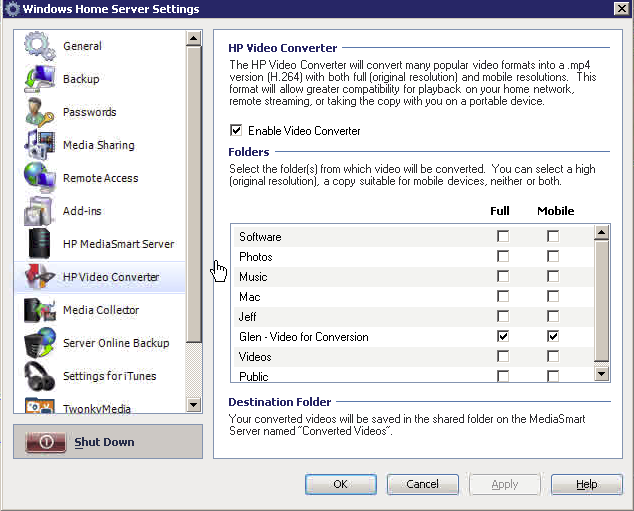
The original, high resolution file you can stream to most devices attached to your home network including PCs, Macs and the Xbox 360 and PS3 gaming systems. Whilst the mobile resolution version of the video you can stream remotely to your PCs, Macs, iPhone or iPod Touch.
Unprotected DVD .vob files are automatically stitched together resulting in the one original (full) and/or mobile quality MPEG-4 (h.264) version of the DVD, although naturally copy protected (CSS) .vob files cannot be transcoded due to legal reasons.
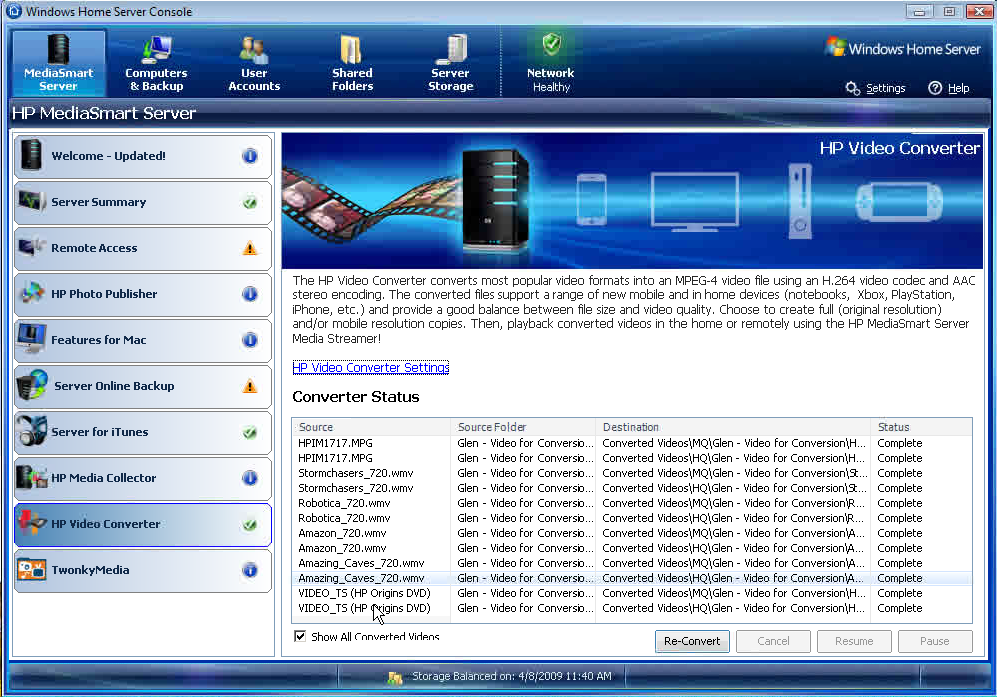
Most digital camera video clip formats are also supported for conversion and whichever the source, video files are not deleted after conversion, allowing you to either archive them, delete or to re-convert them at a later stage.
Although its not enabled by default the HP Video Converter will defiantly be enabled on my ex487.
Remote Video Streaming

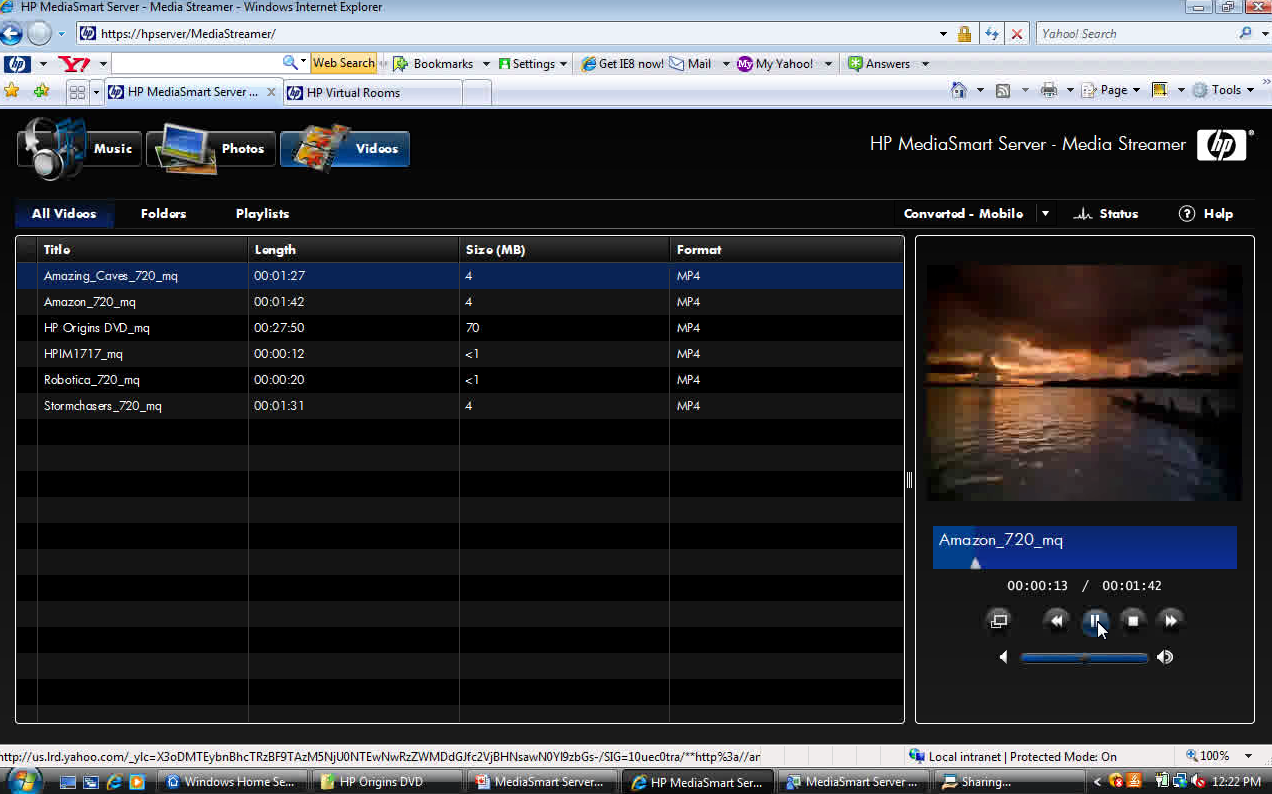
As well as music and photos you can now also stream your videos from the server to any internet connected computer all courtesy of Twonky Media. And the good news is that over a gigabit network 5 hi-def streams can be streamed simultaneously, but your upload bandwidth will be the deciding factor.
Stream Media to your iPhone or IPod Touch
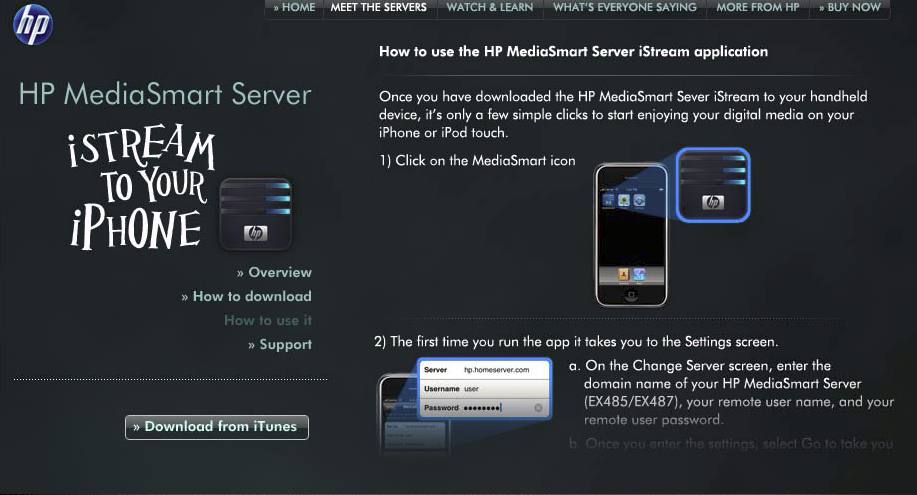
If you own an iPhone or a iPod Touch you will also be able to access your media library via that device. The HP iPhone application “iStream” will be available from Apple’s App Store for free, and will enable you to stream your photo, music and video library’s straight to it wherever you have an internet connection.
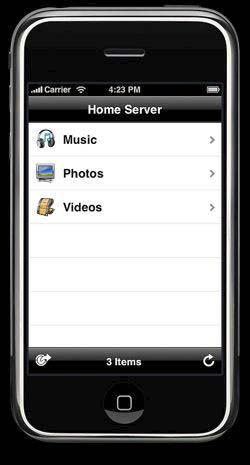
All without the need to sync anything, and knowing that all the files are protected at home on your MediaSmart ex4x Server. And the good news is that an Edge connection on the iPhone is ok for streaming, but 3G or Wireless will give a better experience.
Excellent news for owners of the HP MediaSmart Server ex485 and ex487 – Eagerly awaiting April!
Share this WHS Article with Others:




I am curious as to why only second generation models of the Mediasmart will get this upgrade. I am sure all the early adopters of mediasmart don’t want to be left behind or have to go out and purchase a new server.
I suspect the 512MB stock memory on the 1st generation mediasmart servers are not helping!
@ Peter – as I mention in my post on usingwindowshomeserver.com HP state that the hardware and processor requirements for the new software mean that only the EX485 and EX487 will run it. So dont except to see it on the 1st gen boxes 🙁
what if you updated your processor and ram?
Have you ever heard of major companies like HP and Microsoft with laptop hardware or software who have known major product family updates (47X and 48X) and trash a recently purchased product like the 47X WHS? Rarely! I’m partically disapointed with HP having a substaincial investment in their PCs etc.
I agree with Bob. I purchased an EX470 last July only to realize that I might as well have purchased a Betamax. Never again for HP.
They should offer an upgrade path then.. many of us bought this product significantly less than a year ago only to find it EOL’d already. I am very disappointed with HP’s choice to distance itself.
That being said, I am upgrading my processor and have already upgraded the memory. Anyone want to take a stab at a plug in that accomplishes the same things?
Lee
Furthermore: In actuality, this is a SERVER product… I have NEVER seen a server product that has been EOL’d so quickly… I understand PC’s, in a very competitive market, with processor and technology advances which happen quickly, but a server should be somewhat exempt from the immediate nature and the inference is a somewhat longer lifespan.
the memory reason is a bunch of Obomabull….Most of us have upgraded our memory! Just make the upgrade available to us. the ones who know what their doing will be the ones to install it. just don’t put it on automatic download!! blah…
Couldn’t agree more. Come on HP….get your act together!!
Couldn’t agree more w/John b. Come on HP….get your act together!!