Time Machine backups from MAC to WHS

Brent Friedman developer of many add-ins including TV Manager and WHS Mobile has written a great tutorial on how to do Time Machine backups from the Mac to your Windows Home Server, just like the HP MediaSmart Servers do.
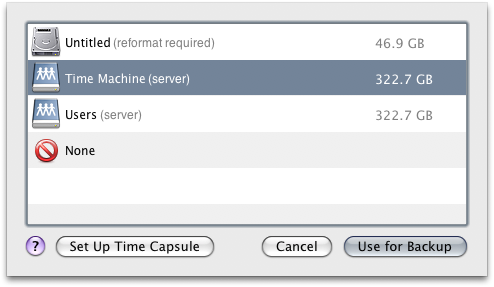
TimeMachine_DiskSelection_2

Brent’s guide takes you through enabling the backups to shares, how to create a working sparsebundle file and how to configure Time Machine.

You can read all the details here.

69.png

AddThis Social Bookmark Button

13 Responses to “Time Machine backups from MAC to WHS”

  1. Пресата presata.com» Blog Archive » How to Use Time Machine Backups on Windows Home Server (or Any Networked Storage) [Time Machine] Says:

    [...] Definitely a good weekend project, so let us know how it goes or if you have any tips in our fancy new comments if make the the attempt. [CompuGeek via MS Windows Home Server] [...]

  2. How to Use Time Machine Backups on Windows Home Server (or Any Networked Storage) [Time Machine] | dv8-designs Says:

    [...] Definitely a good weekend project, so let us know how it goes or if you have any tips in our fancy new comments if make the the attempt. [CompuGeek via MS Windows Home Server] [...]

  3. How to Use Time Machine Backups on Windows Home Server (or Any Networked Storage) [Time Machine] | HyipLife.com Says:

    [...] Definitely a good weekend project, so let us know how it goes or if you have any tips in our fancy new comments if make the the attempt. [CompuGeek via MS Windows Home Server] [...]

  4. How to Use Time Machine Backups on Windows Home Server (or Any Networked Storage) [Time Machine] « Tech Pulse! Says:

    [...] Definitely a good weekend project, so let us know how it goes or if you have any tips in our fancy new comments if make the the attempt. [CompuGeek via MS Windows Home Server] [...]

  5. How to Use Time Machine Backups on Windows Home Server (or Any Networked Storage) [Time Machine] Says:

    [...] Definitely a good weekend project, so let us know how it goes or if you have any tips in our fancy new comments if make the the attempt. [CompuGeek via MS Windows Home Server] [...]

  6. How to Use Time Machine Backups on Windows Home Server (or Any Networked Storage) [Time Machine] | Applebound Says:

    [...] Definitely a good weekend project, so let us know how it goes or if you have any tips in our fancy new comments if make the the attempt. [CompuGeek via MS Windows Home Server] [...]

  7. How to Use Time Machine Backups on Windows Home Server (or Any Networked Storage) [Time Machine] « Consumer Electronics Newz Says:

    [...] Definitely a good weekend project, so let us know how it goes or if you have any tips in our fancy new comments if make the the attempt. [CompuGeek via MS Windows Home Server] [...]

  8. Official Tech News » How to Use Time Machine Backups on Windows Home Server (or Any Networked Storage) [Time Machine] Says:

    [...] Definitely a good weekend project, so let us know how it goes or if you have any tips in our fancy new comments if make the the attempt. [CompuGeek via MS Windows Home Server] [...]

  9. How to Use Time Machine Backups on Windows Home Server (or Any Networked Storage) [Time Machine] | Tech Fused Says:

    [...] Definitely a good weekend project, so let us know how it goes or if you have any tips in our fancy new comments if make the the attempt. [CompuGeek via MS Windows Home Server] [...]

  10. How to Use Time Machine Backups on Windows Home Server (or Any Networked Storage) [Time Machine] | NerdAccess Says:

    [...] Definitely a good weekend project, so let us know how it goes or if you have any tips in our fancy new comments if make the the attempt. [CompuGeek via MS Windows Home Server] [...]

  11. How To Use Time Machine Backups On Windows Home Server | Gizmodo Australia Says:

    [...] it goes or if you have any tips in our fancy new comments if make the the attempt. [CompuGeek via MS Windows Home Server] Tagged:applebackuphardwarehome servermacmacsmodsnastime capsuletime machinewhswindows home [...]

  12. How to Use Time Machine Backups on Windows Home Server (or Any Networked Storage) [Time Machine] « Gizmo Geek – Tech and Gadgets News Says:

    [...] Definitely a good weekend project, so let us know how it goes or if you have any tips in our fancy new comments if make the the attempt. [CompuGeek via MS Windows Home Server] [...]


Leave a Reply



